Help

Set up sending · Step 2

Verify your domain

You will have a purchased domain that is verified and ready for mailboxes.

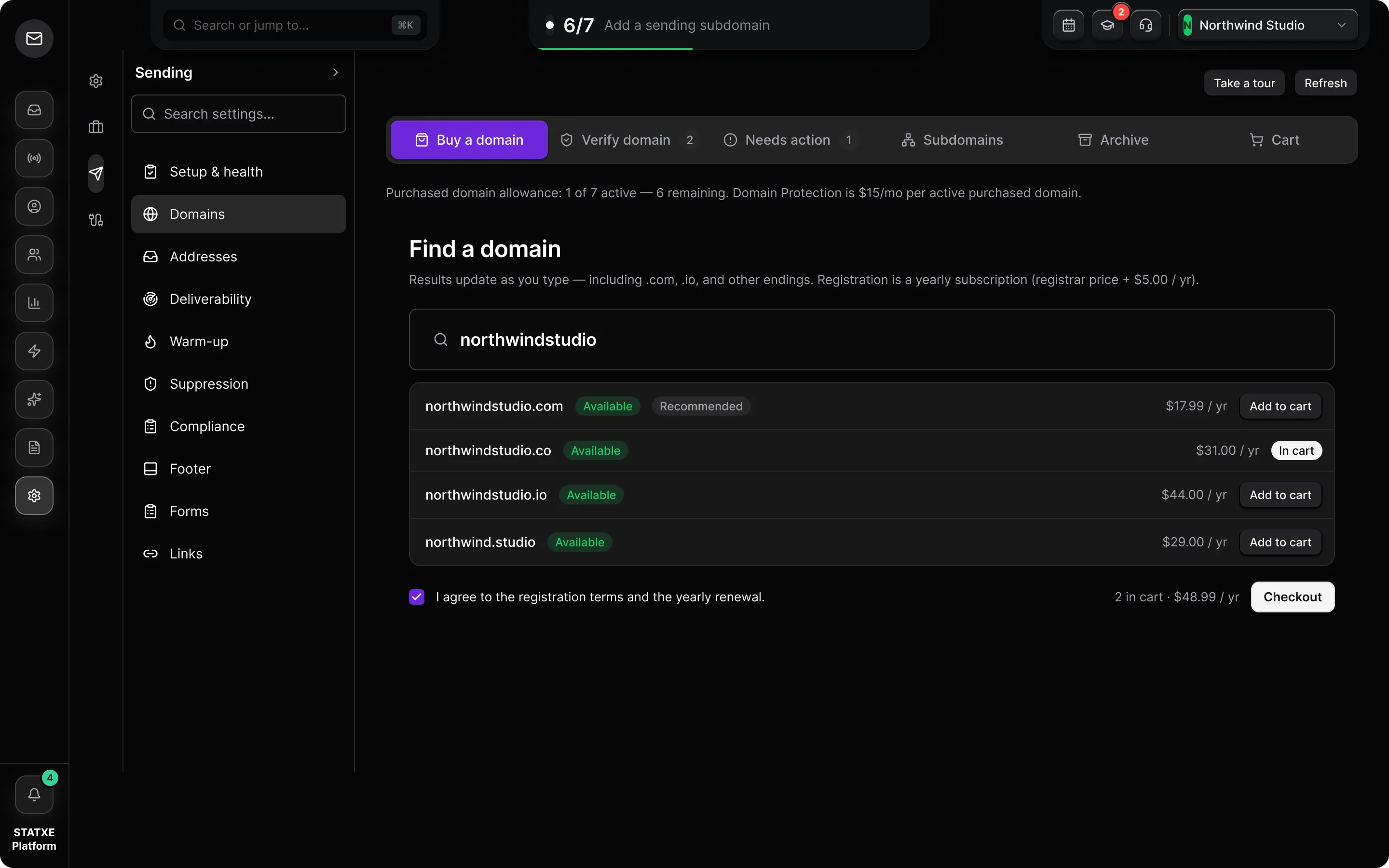
  1. Buy the domain

    In the dashboard, go to Settings → Domains. Stay on Buy a domain if you do not already own the name. Complete checkout — STATXE registers the apex and keeps DNS on our host.

    Already own the name? Use Verify a BYO domain instead. Do not enter a BYO apex on this tab.

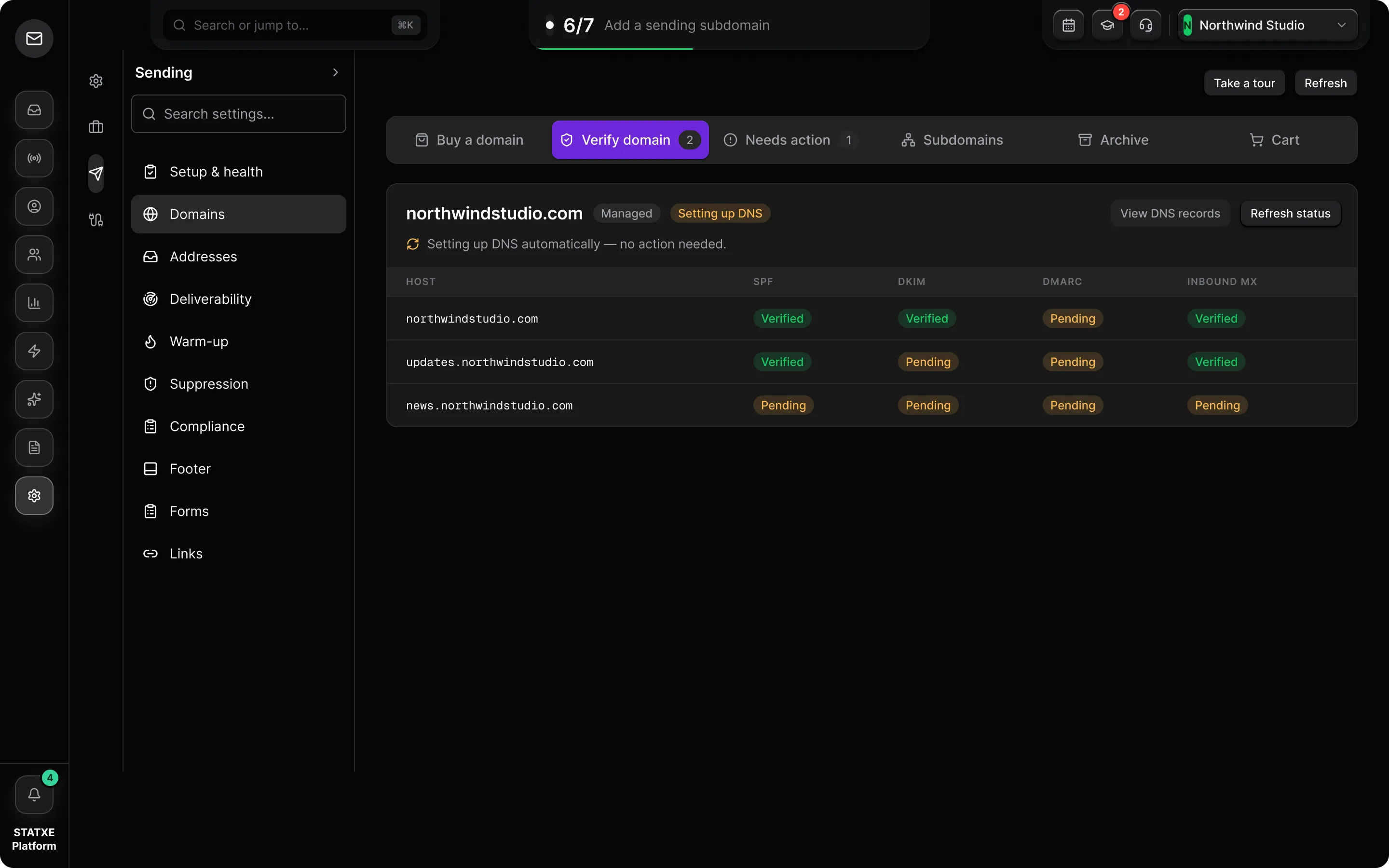
  2. Wait for automatic DNS

    After purchase, the page shows Setting up DNS automatically. Purchased domains use Add to DNS — STATXE writes SPF, DKIM, DMARC, inbound MX, and tracking records. You do not paste them at a registrar.

  3. Refresh until verified

    Use Refresh status until the apex shows verified. Sending stays blocked while SPF or DKIM is pending.

  4. Confirm sending subdomains

    Open Settings → Domains → Subdomains. Purchased apexes show Auto DNS. Use Create missing for the standard hosts (updates, news, notify, mail, send, broadcasts), or add a custom label. Each host should flip to verified without manual records.

Buy and verify a STATXE domain
Settings → Domains

Buy a domain

Purchasing
yourbrand.com · available
Buy domain
Auto DNS · SPF DKIM DMARC MXApplying
updates.yourbrand.com · Auto DNS

Walkthrough playing.