Set up sending · Step 3
Create a sending address
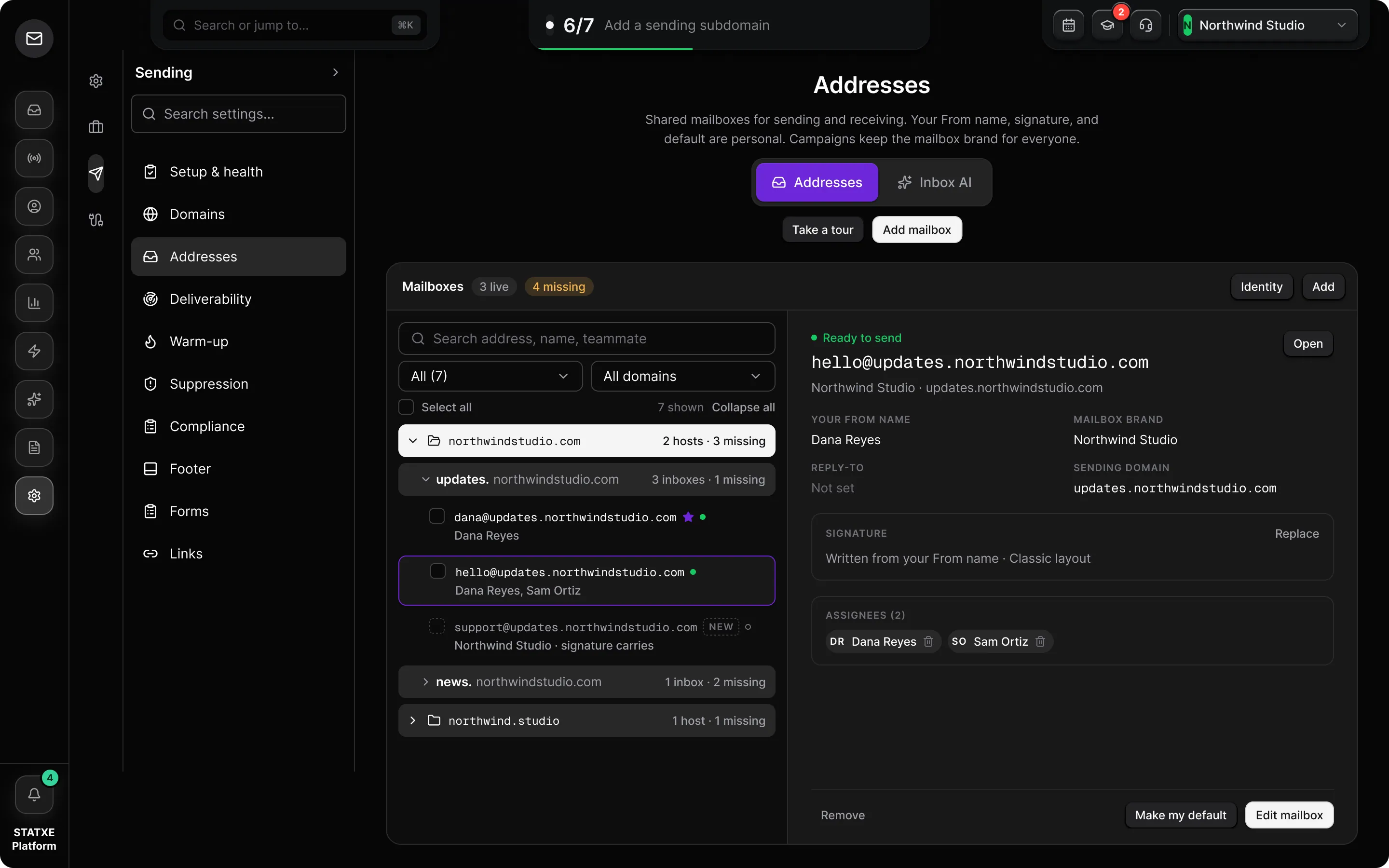
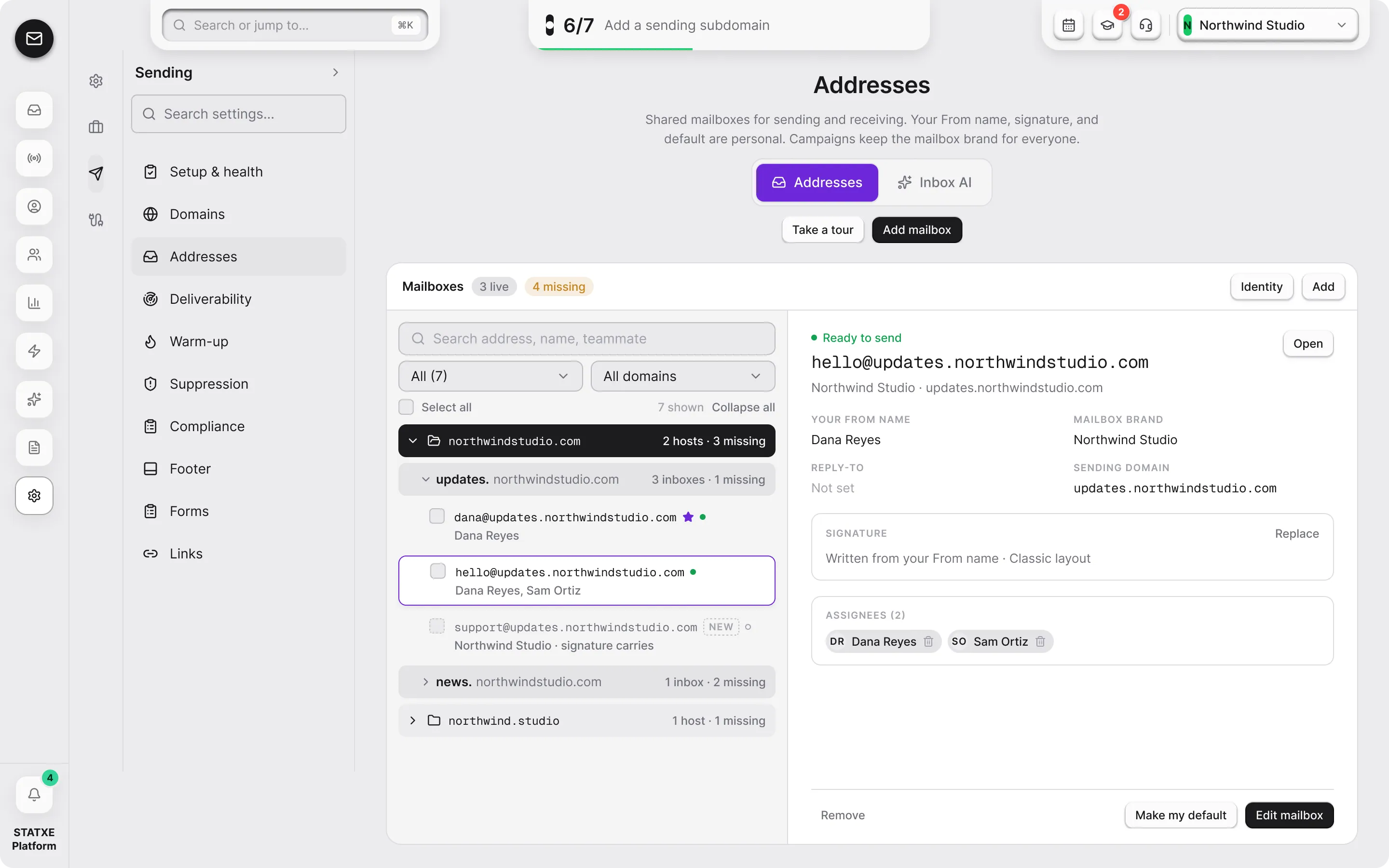
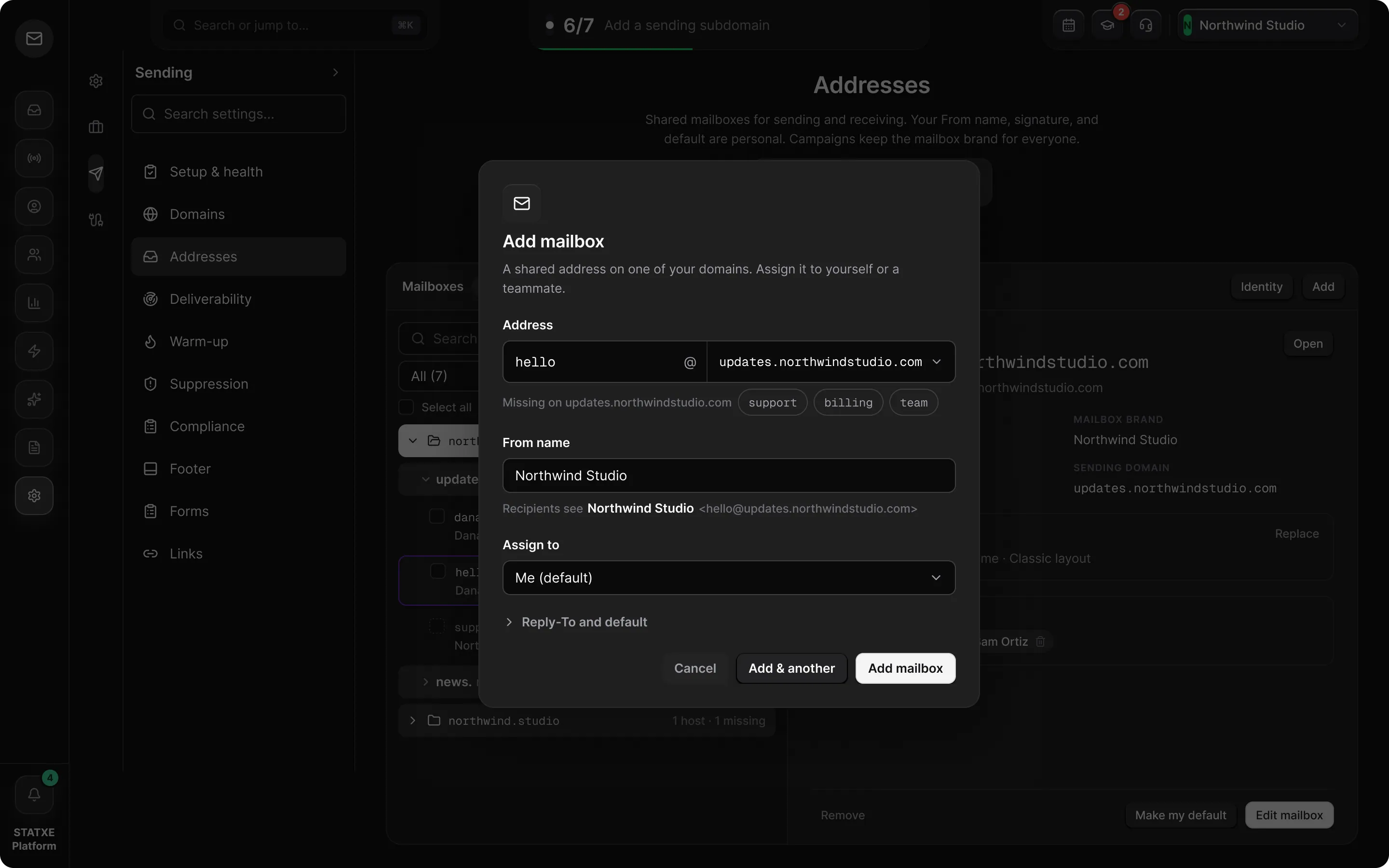
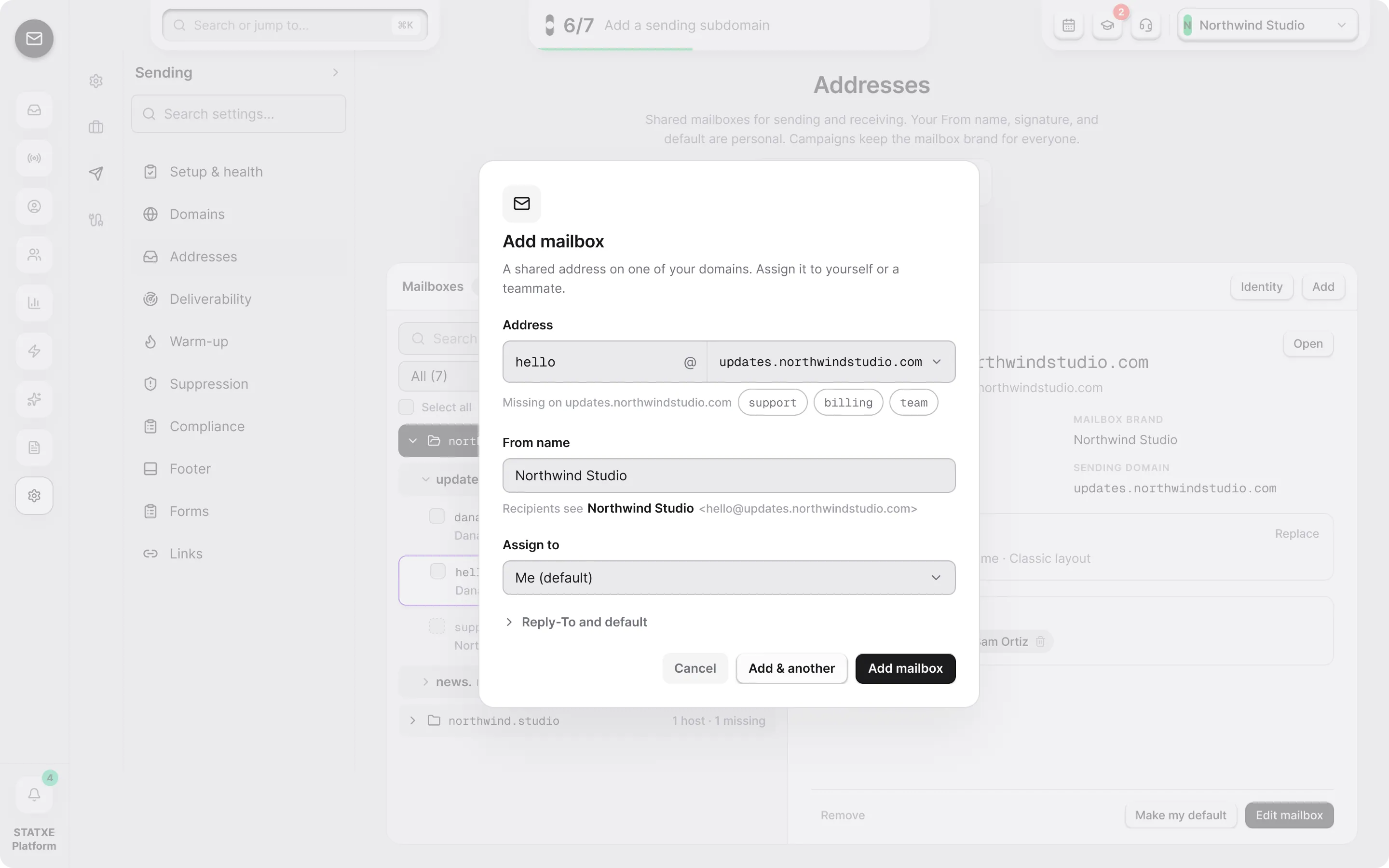
Add a mailbox on your sending subdomain, give it the name recipients see, and assign it to someone so replies have an owner.
Open Addresses
Fill in the mailbox
Set up sending · Step 3
Add a mailbox on your sending subdomain, give it the name recipients see, and assign it to someone so replies have an owner.